Network Topologies
Three standard topologies for connecting Lumentrace to a lighting console.
Topology 1 — Console merge
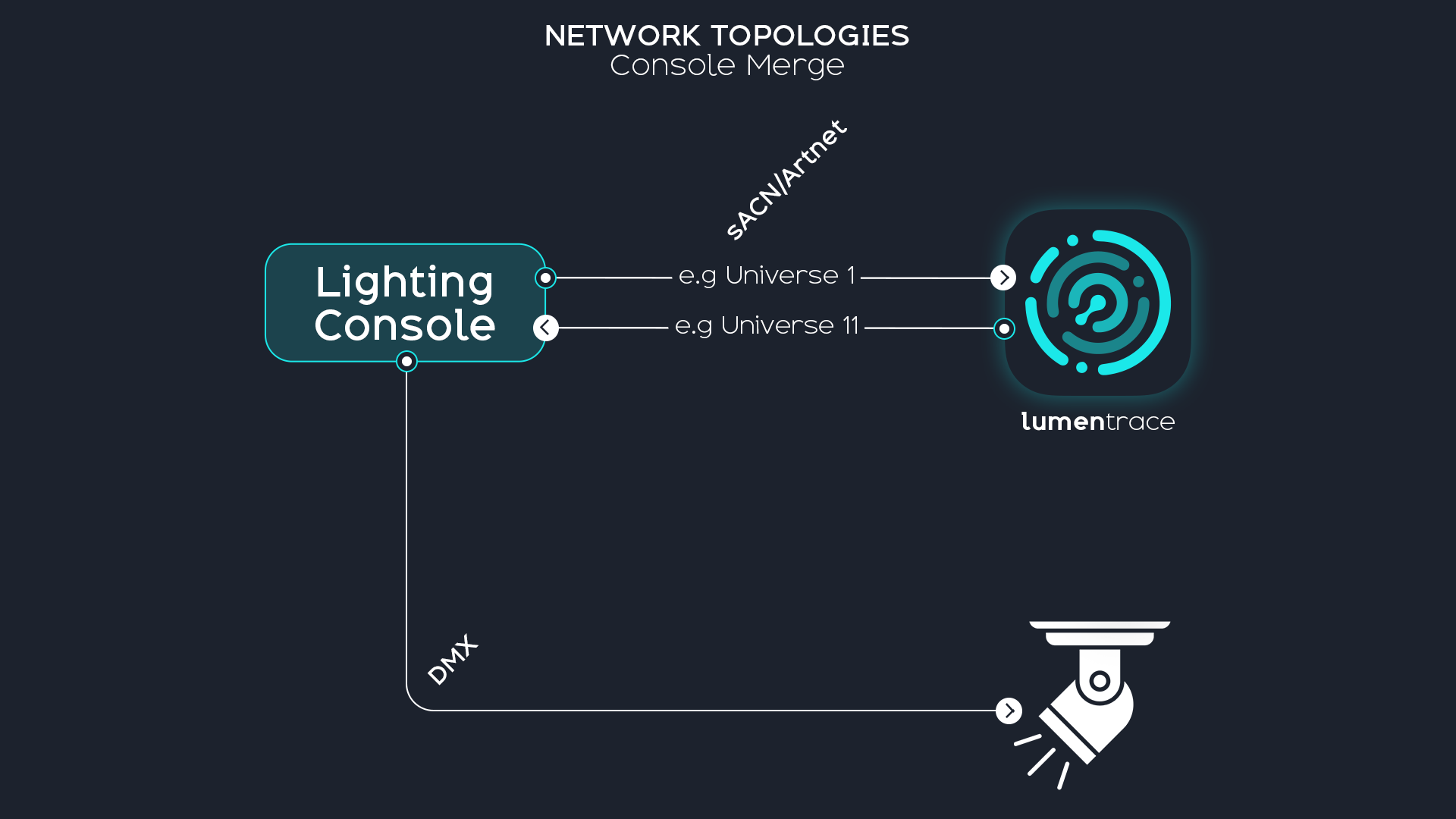
The console sends its universe to Lumentrace. Lumentrace sends a modified universe back (pan/tilt/intensity overridden for tracked fixtures). The console receives both its own output and Lumentrace's output, merges them, and sends the result to fixtures.
Lumentrace configuration: one In universe (universe A) and one Out universe (universe B). Show Mode: Merge.
Use when the console handles all merge logic and you want to keep the console in control of the final output.
Topology 2 — Universe shift
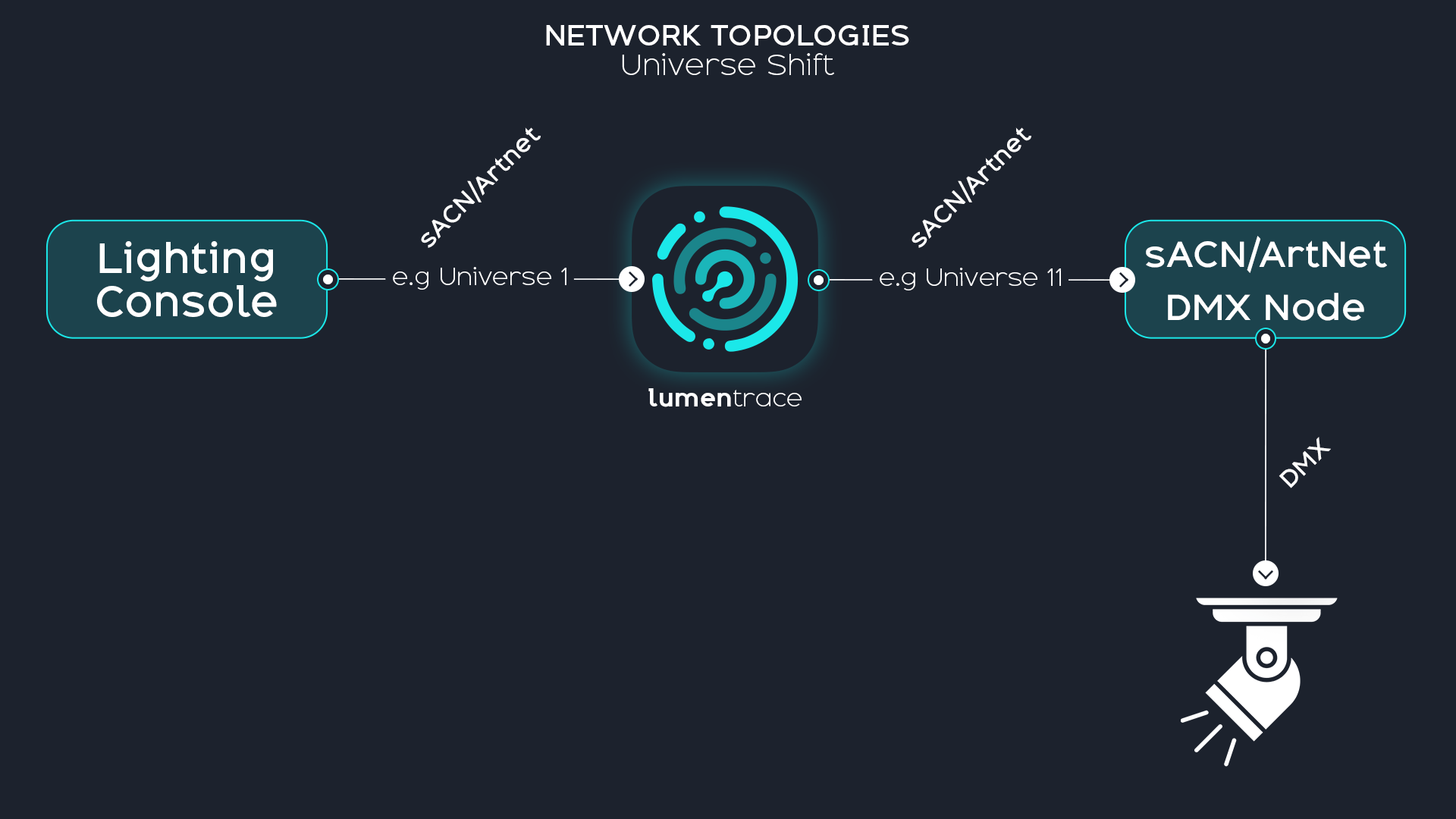
The console sends to Lumentrace. Lumentrace outputs to fixtures on a separate universe. The console does not handle the tracked fixtures' final output.
Lumentrace configuration: one In universe (universe A, optional if standalone) and one Out universe (universe B). Show Mode: Direct Output or Merge.
Use when Lumentrace drives fixtures directly on a dedicated universe, keeping tracked fixtures entirely separate from the console's output.
Topology 3 — sACN priority failsafe
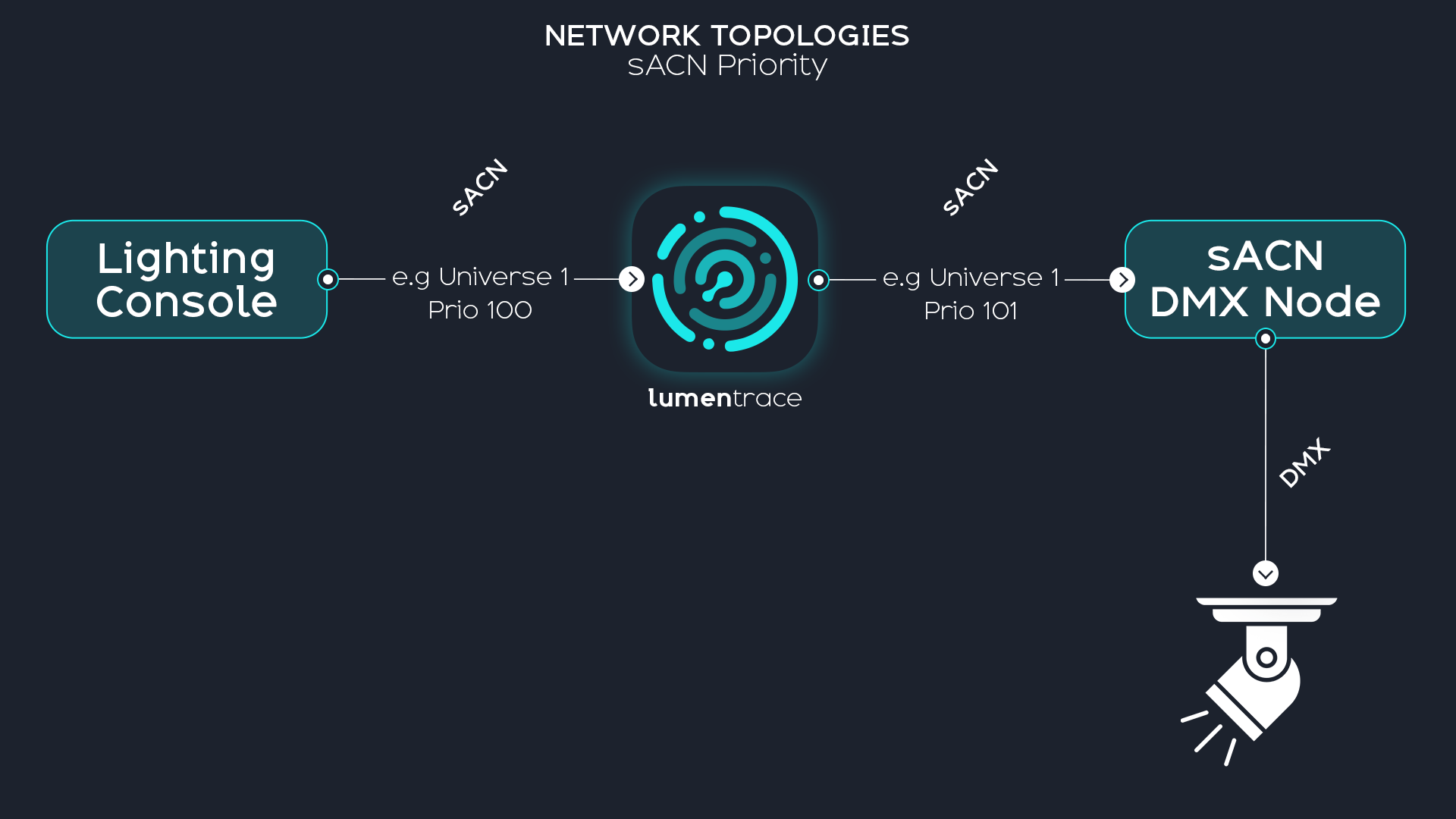
Both the console and Lumentrace send to the same sACN universe. Lumentrace uses a higher priority (e.g. 101 vs the console's 100). Fixtures follow Lumentrace as long as it is active.
If Lumentrace goes offline for any reason (software crash, network failure, machine shutdown), the sACN nodes stop receiving its stream and automatically fall back to the console's lower-priority stream. The console regains control with no manual intervention.
Lumentrace configuration: one In universe (universe X, priority 100) and one Out universe (same universe X, priority 101). Show Mode: Merge.
sACN only — Art-Net does not provide a standard priority mechanism for automatic failover.